Introducing Vectary Canvas, a new space for AI-accelerated ideation. → Canvas

From mood board to interactive 3D, on one shared canvas

Build a mood board for your project with references, swatches and 3D garments. Turn them into reusable design assets, explore with fine-tuned AI presets, and share interactive 3D with your team, partners or customers.

Everything behind your project, in one view

Bring together everything that shapes your project: reference images, materials, product information and 3D samples. Keep everything accessible to your team instead of scattered across folders, tools and email threads.

References and early ideas

Place reference photos, sketches, runway inspiration and material samples side by side, so the context behind each idea stays visible.

Bring your 3D into view

Add 3D garments from CLO, Browzwear, Style3D or other tools to the same mood board as your 2D content.

Include every product detail

Add PDFs and tech packs alongside the visuals and read them directly on the board.

Turn any image into reusable design data

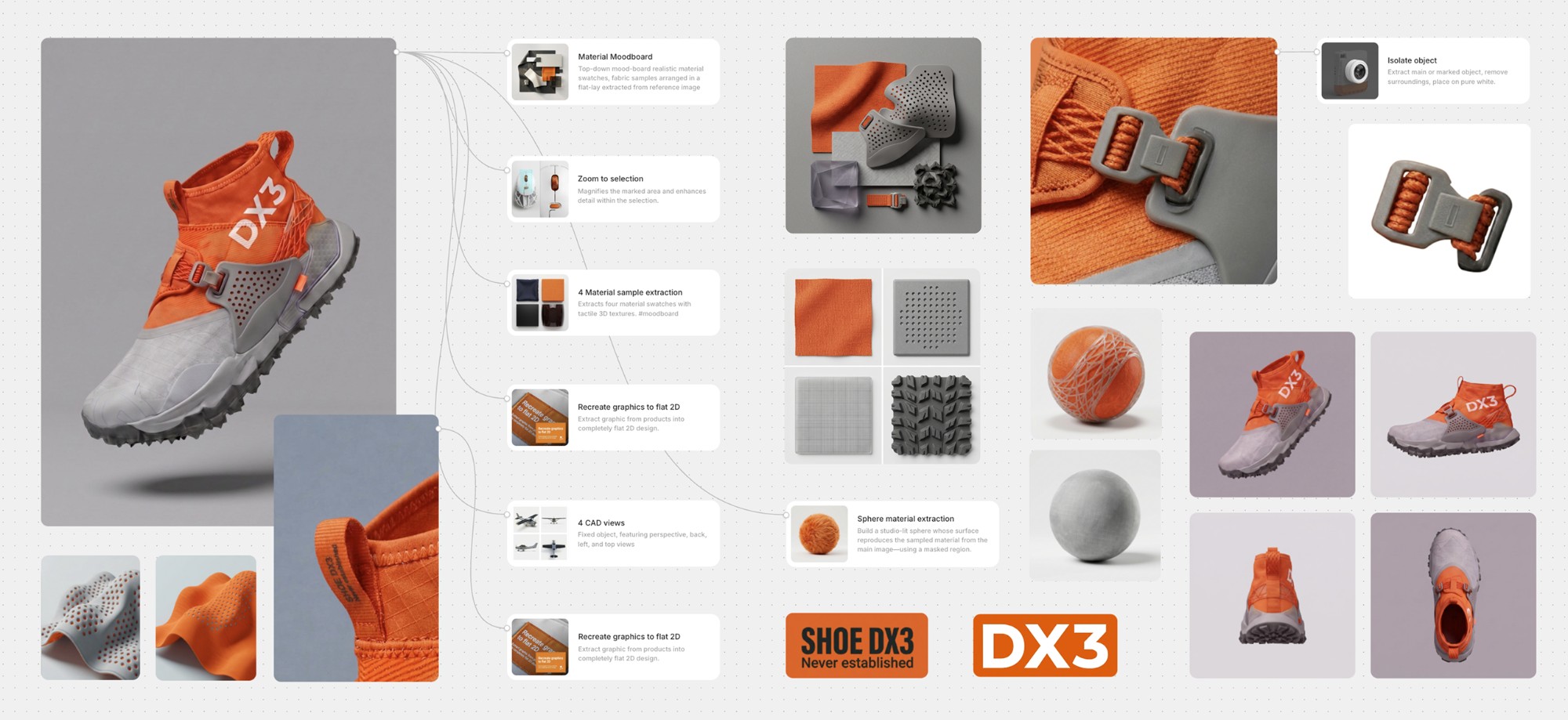
Point at a photo, a sample scan or a 3D garment and pull out the parts you need. Extracted elements are saved in your library, ready to be reused across concepts or shared with suppliers.
A sneaker on a Vectary Canvas board with extracted material swatches, trims, graphics and CAD views

Materials

Identify the fabric, leather or knit in a photo and turn it into a usable material.

Tiling textures

Seamless, repeat-ready textures for prints, wovens and knits.

Material definitions

Color, roughness, normal and sheen maps for realistic 3D rendering.

Design elements

Prints, graphics, embroideries and placements as clean artwork.

Accessories & trims

Buttons, zippers, buckles and hardware, isolated and ready to reuse.
Image to 3D

Explore and evaluate from every angle

Turn a product image into a textured 3D model using a fine-tuned preset that automatically selects the most suitable AI model. Apply materials and graphics, test their scale and placement, and review the result in 3D. Compare options, refine the design, generate more controlled fashion visuals, or showcase your collection.

Bring people and ideas together to explore more

Use presets built for specific fashion design tasks. Apply them individually or chain them together as your concept develops. Invite internal teams and external partners into the same workspace to keep feedback connected to the work, share libraries and presets, and move projects forward together.

Shape the overall look

Turn sketches into fashion visuals, transform flats or photos into 3D, apply a design language, explore on-model looks, use reference or extracted poses, and add movement.

Work with materials and details

Apply extracted materials or reference fabrics, place prints, generate colorways, add creases, and change trims. Use 3D to review and refine with greater control.
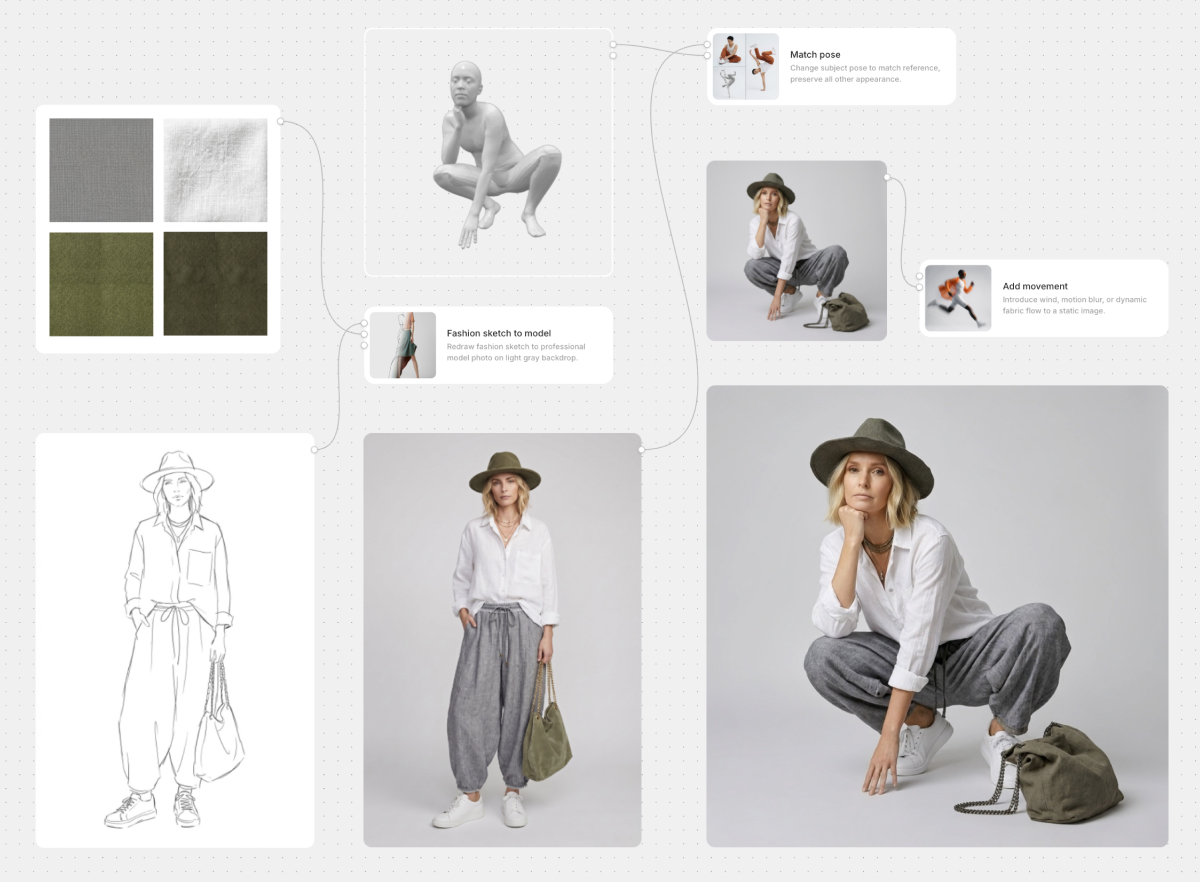
A fashion sketch turned into model photos with fabric swatches, pose matching and movement presets on a Vectary Canvas board

Everyone works from the same context

Designers, product developers, merchandisers, sales teams and external partners can review the same ideas, materials and 3D designs as the project develops.

Feedback and resources stay connected

Edit together in real time, pin comments directly to the work, and use shared libraries and presets across the workspace.
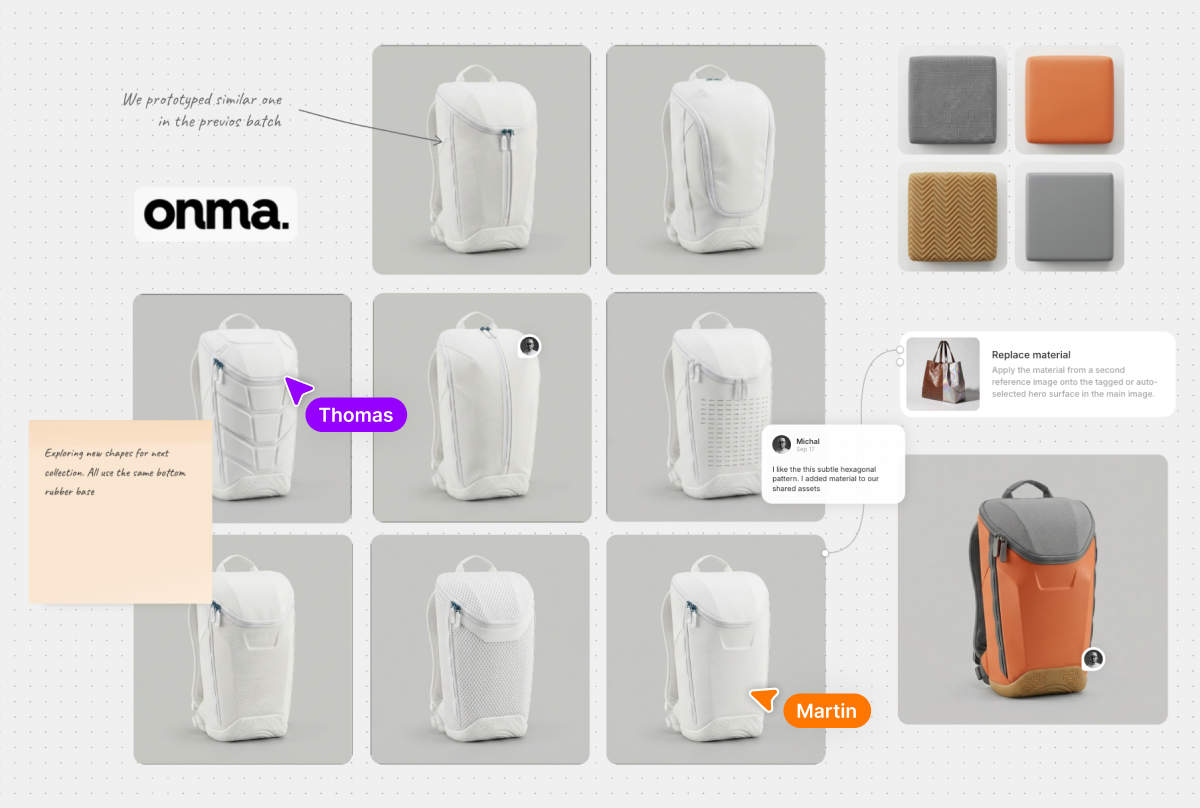
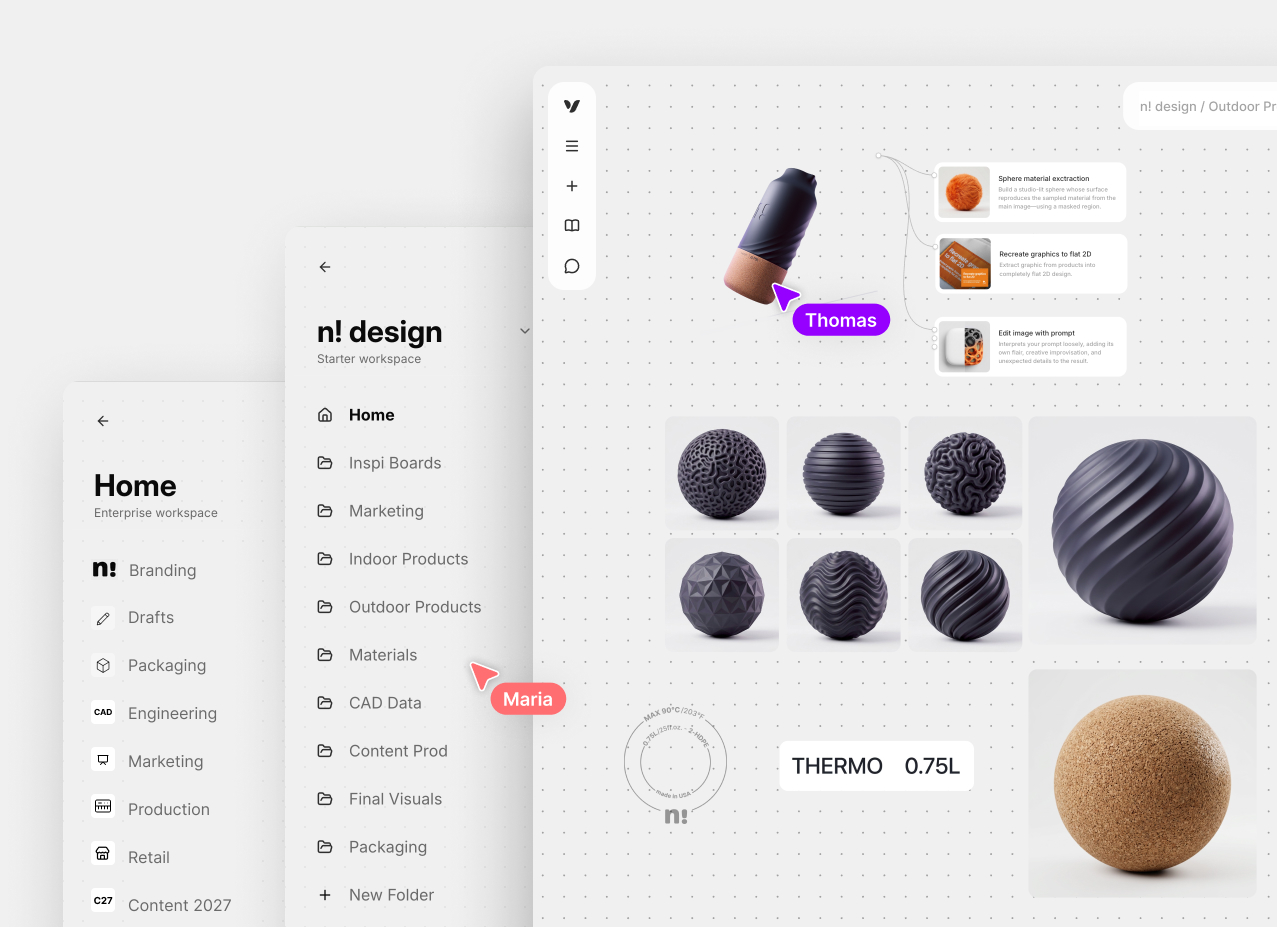
Backpack shape variations with team cursors, comments, notes and material swatches on a shared Vectary Canvas board

Turn your 3D designs into interactive experiences

Refine and optimize your 3D designs, then create interactive presentations or product configurators. Share them with your team or partners through a link that opens in any browser, or embed them in your PLM, digital showroom or website.

Accelerate review and sales decisions

Present products in context with realistic lighting, merchandising layouts and AR. Give buyers, sales teams and retail partners a clear view of collections before physical samples or displays are ready.

Publish across marketing and commerce

Embed interactive 3D and product configurators directly into websites, product pages and digital showrooms. Create digital twins that customers can explore online or experience in AR through WebXR.

Use of 3D and AR in fashion design

Try Business Workspaces

  • Ideate together in Canvas
  • Create and review 3D as a team
  • Organize projects and control access
  • Publish 3D and AR across every channel
  • Scale with APIs, hosting, and expert support
Talk to our team
Vectary Workspaces with shared folders, team cursors, and a 3D material board